PathMX is a modern markdown-first framework for building knowledge-oriented websites. It is currently under active development and requires some moderate technical ability to use.
What you can do with PathMX:
- Author rich, interactive knowledge sites entirely in markdown
- Build custom components and interactions
- Create personalized learning paths through linked content
- Ship production-ready sites that are portable, agent-friendly, and future-proof
PathMX is both a methodology and a development framework. The methodology can be used without special tooling on any operating system.
Let's start with the methodology.
---
# PathMX Methodology
There are three core principles to the PathMX methodology:
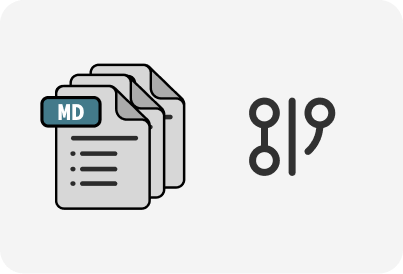
## Principle 1: Markdown-first
Markdown is the lingua franca of modern human and agent interactions. It is a well-established, stable and portable format for authoring human-and-agent readable plain text documents with hyperlink support.
---
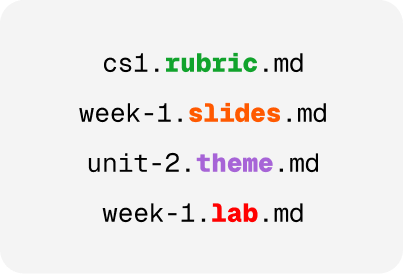
## Principle 2: Explicit file types
Type hints allow you to indicate the role of a file in the name of the file. This pattern allows agents and humans to quickly intuit the purpose of a file without having to read the contents. This is especially important in modern agentic harnesses since agents naturally look at file paths to search for relevant patterns and context.
---
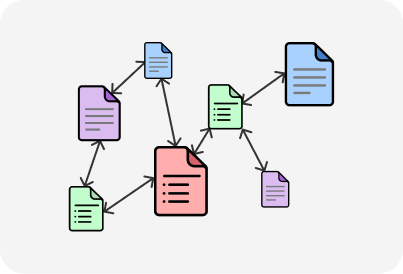
## Principle 3: Hyperlinked paths
Links between documents create a natural knowledge graph and allow for creating paths through it. A large knowledge graph may have many different paths depending on where the user is coming from or entering the space.
To read a more in-depth exploration of the PathMX methodology, please read the paper below:
[button:: Read the paper](./files/pathmx-paper.pdf) or [view the talk](./CCSCNE/talk.slides.md?play=1)
---
# The PathMX Development Framework (Early Beta)
The PathMX Development Framework is a modern markdown-first framework for building knowledge-oriented websites. It is currently under active development and requires some moderate technical ability to use.
The primary deployment interface is the PathMX Player, this is the interface you are using right now! If you are interested in using, or contributing to the PathMX Development Framework, please contact [Mark Johnson](mailto:mark@fellowhumans.com).
---
# Examples and Demos
PathMX can be use for a variety of purposes beyond just curriculum development. Here are some examples built with PathMX arround recent events:
## Grok 26'
- [Grok 26' Event Path (external)](https://grok26.path.app)
- [Grok 26' 10/20 Talk](./grok-26/10-20.slides.md)
## CCSCNE 2026
- [Paper Session Slides](./CCSCNE/talk.slides.md)
- [Teaspoon Programming](./demos/tsp-demo/tsp.demo.md)
## Demos
- [Task lists](./demos/task-lists.demo.md)
- [Datatype Inline Charts](./demos/datatype.demo.md)
- [Math LaTeX](./demos/discrete-demo/index.demo.md)
- [Markdown Support](./markdown.demo.md)
## Custom Tags Examples
PathMX allows literate style custom tags development. Here are some examples:
- [Bookshelf](demos/bookshelf.demo.md)
- [Pomodoro Timers](demos/pomodoro.tags.md)
- [Flashcards](demos/flashcards.demo.md)
This is a work in progress. Additional examples, documentation, and tutorials are coming soon!
---
## Backlinks
The following sources link to this document:
- [Back to demos](/demos/task-lists.demo.llm.md)
- [links](/markdown.demo.llm.md)